



Interface Features
Users and Reviewers and consistently declared Kala to have the most pleasing and user-friendly interface of all Jyotish software. Kala is not only easy to use, it also offers several customizations to tailor Kala to your needs, without adding undue complications.
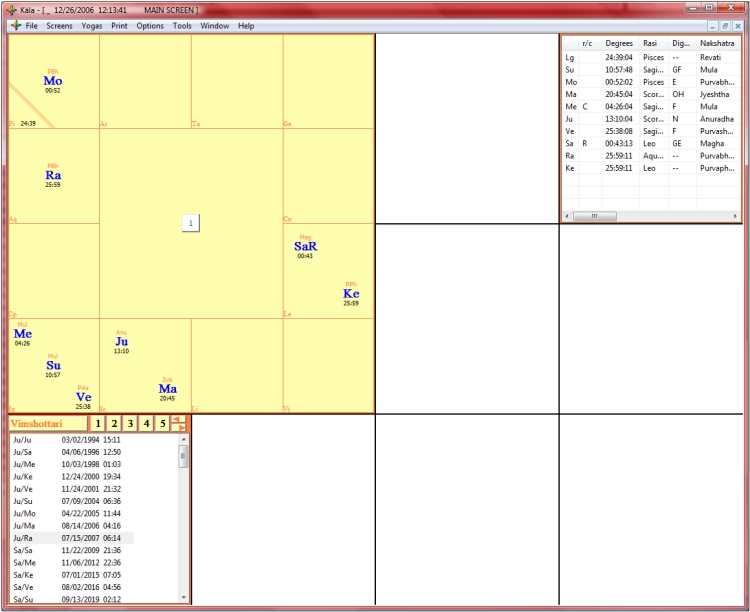
Kala's Main Screen consists of a Large Rasi Chart along with a Dasa Table and a Table of Planetary Information. Each of the smaller, blank squares can be costumized to your desires - choose from a wide selection of charts and tables to place on the screen, as per the Main Menu, which is easily accessed by right clicking anywhere with your mouse:
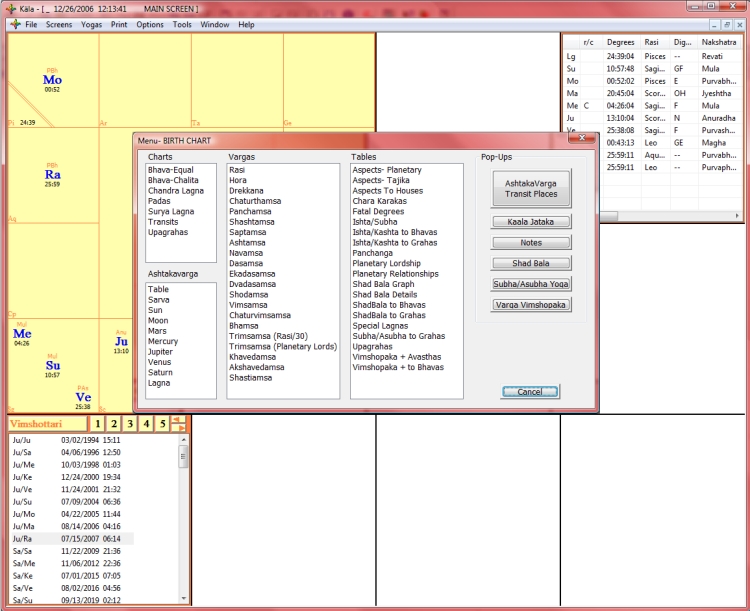
Not only can you customize your Screen by filling in the blank squares, you can also select to display temporary charts and tables that will float on your screen - so you can show as much information on one screen as you want (or as you can handle!).
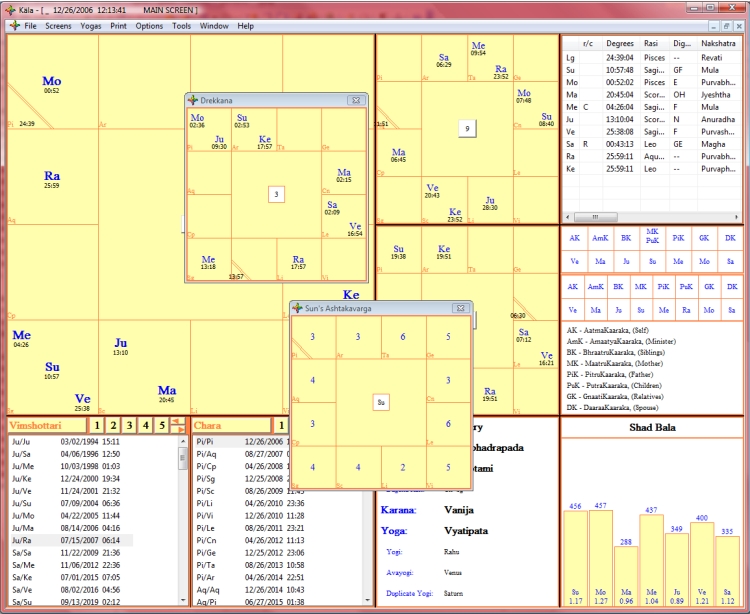
Additional Interface Features
-
Show one or two Dasa Tables.
-
Select North or South Indian style charts, or even round charts, with a simple press of the F2 Key, or set the chart style in the Options Menu.
-
Show Outer Planets with a simple press of the F8 key, or set the outer planets to show in the Options Menu.
-
Show Nakshatras in the Chart, or not.
-
Show Degrees in the Vargas, or not.
-
Show Bhava Chalita Cusps in Vargas or not.
| Download Kala Vedic Astrology Software |  |
254.95 |